Kaggle Challenge Log #3 — Model Selection with Copilot: Predicting Heart Disease (Playground Series Season 6 Episode 2 Day 3)

📝 Summary

- Content: Selecting models (algorithms) for a Kaggle competition with Copilot
- Conclusion: Achieved Top 20% in a beginner-friendly competition using an ensemble (hybrid) of CatBoost, LightGBM, and XGBoost!


🎯 Goal

This time as well, I will work together with Copilot to improve the model and aim to climb the leaderboard in this competition! The target is to reach the top 50%.

www.kaggle.com

- Discuss improvement strategies with AI based on questions from the previous model
- Check the performance of each standalone model
- Build an ensemble (hybrid of multiple models)
- Submit to Kaggle and check the score

I will test how much the performance and ranking improve through this workflow.


📍 Current Situation and Today’s Challenge

- This is my first time joining a competition while collaborating with AI❗
- I decided to first solidify the model (algorithm) before diving deeper into the data
- Last time, Copilot generated code for the recommended models
- The previous model ranked around the top 68%, so the performance wasn’t strong

The challenges this time are:
“How should I select the models?”
“Can the chosen models actually improve performance?”
I aim to clear these two points.


💬 Log with Copilot

*Blue text indicates prompts sent to the AI

I want to take on Kaggle with your help, Copilot.   I’d like to improve the code you created last time and raise my ranking.   Just in case, I’ll send the beginning portion of the training data again.   This time, I want to organize how to choose the models.   From what I understand, the previous code used logistic regression and CatBoost,   and the ensemble took the simple average of their outputs to produce the final prediction — is that correct?   Looking at the logs, logistic regression performs much worse than CatBoost,   so it seems like it might actually be dragging the ensemble down.   Also, you previously told me about XGBoost and LightGBM.   So as an improvement process, I’m thinking:   First, evaluate each candidate model individually using KFold CV and Optuna to check compatibility with the competition.   Then, select around three strong models and test ensemble combinations of 1–3 models.   I want to carefully select and combine models like this. What do you think?   If there’s anything inefficient, or if you have suggestions like   “these types of models pair well together, so pick one from each category,”   please let me know!

📝 I uploaded the previous Python code and the first 5 rows of train.csv

Copilot’s Response

🔍 First, is your previous understanding correct?
Yes, completely correct.
- Logistic Regression (LR)
- CatBoost (before tuning + after tuning)

Among these, the ensemble used:
“KFold Logistic Regression” + “CatBoost tuned with Optuna”
combined by simple averaging.

And based on the logs:
LR’s AUC is much lower than CatBoost → averaging them likely reduces performance.
This is true.

Ensembles often get worse when a weak model is mixed in,
so reviewing this is a very good decision.

🎯 Your plan this time: Excellent
The process you described is actually a “classic strategy” used by many top Kagglers.

✔️ Step 1: Evaluate candidate models individually
- KFold CV
- Light Optuna tuning
- Compare AUC
- Check for overfitting

✔️ Step 2: Select 2–3 strong models
Choose models with different characteristics:
- One tree-based (GBDT family)
- One linear or distance-based
- One nonlinear neural or category-specialized model

✔️ Step 3: Test ensemble effects
- Simple average
- Weighted average
- Stacking (if needed)

This workflow is highly reproducible and easy to log.

🥇 Recommended 3 models
1. CatBoost (tuned with Optuna)
→ Already strong. Must include.
2. LightGBM (Optuna or GridSearch)
→ Errors differ from CatBoost → strong ensemble effect.
3. XGBoost (light tuning)
→ Stable as a third tree-based model.
→ But similar to LGBM, so you can skip if two are enough.

🧭 Efficiency tips
✔️ 1. First align the standalone model performance
- CatBoost
- LightGBM
- XGBoost
Compare them using the same KFold setup.

✔️ 2. Optuna can be “light”
- 20–30 trials are enough
- 100 trials rarely improve much

✔️ 3. Remove logistic regression for now
- Low performance
- Likely to drag down the ensemble

✔️ 4. Ensemble comes later
- First get standalone performance
- Then combine
→ Most efficient workflow

🌱 Suggested next steps
Step 1: Add LightGBM with KFold + Optuna  
→ Compare with CatBoost  
Step 2: Add XGBoost with KFold + Optuna  
→ Align performance of all three  
Step 3: Run ensemble experiments  
- 2-model average  
- 3-model average  
- Weighted average  


Thanks!   After comparing standalone models, I’ll explore ensemble combinations.   The tuned results from the standalone models can be reused in the ensemble, right?   How can I reuse the Optuna tuning results in later calculations?

Copilot’s Response

🎯 Conclusion: You can reuse Optuna results by saving the parameters.

📦 Paste the Python dictionary directly into your code
Print Optuna’s result:
{'depth': 7, 'learning_rate': 0.05, 'l2_leaf_reg': 3.2, ...}

Then copy it into your code:
best_params = {
    'depth': 7,
    'learning_rate': 0.05,
    'l2_leaf_reg': 3.2,
    ...
    'loss_function': 'Logloss',
    'eval_metric': 'AUC',
    'iterations': 1000,
    'random_seed': 42,
    'verbose': 0
}

🧪 How to use it in the ensemble?
In the ensemble code:

cb_best = CatBoostClassifier(**best_params)
cb_best.fit(train_pool)

test_pred_cb_best = cb_best.predict_proba(test_pool)[:, 1]

Just reuse the best parameters as-is.


Great!   Then first, could you output Python code (in a code block) that:   - trains a standalone CatBoost model   - uses KFold and Optuna for training and tuning   - then generates a submission file?   I’ll send the beginning of the input/output data again just in case.

📝 I re-uploaded sample_submission.csv and the first 5 rows of train.csv

Copilot’s Response


Of course. Here is a complete CatBoost standalone workflow:
- KFold for stable evaluation
- Light Optuna tuning
- Retrain with best parameters
- Generate submission.csv

The structure is organized for transparency, reproducibility, and readability.


🐈‍⬛ CatBoost × KFold × Optuna × Submission
Here is the complete code.

# =========================
# 0. Libraries
# =========================
import numpy as np
import pandas as pd
from sklearn.model_selection import KFold
from sklearn.metrics import roc_auc_score
from catboost import CatBoostClassifier, Pool
import optuna
import json

# =========================
# 1. Load Data
# =========================
train = pd.read_csv('/kaggle/input/playground-series-s6e2/train.csv')
test = pd.read_csv('/kaggle/input/playground-series-s6e2/test.csv')

# Convert target variable to 0/1
train['Heart Disease'] = train['Heart Disease'].map({'Presence': 1, 'Absence': 0})

# Features
features = train.columns.drop(['id', 'Heart Disease'])
X = train[features]
y = train['Heart Disease']
X_test = test[features]

# Split numeric and categorical columns (for CatBoost)
num_cols = X.select_dtypes(include=['int64', 'float64']).columns.tolist()
cat_cols = X.select_dtypes(exclude=['int64', 'float64']).columns.tolist()

# =========================
# 2. KFold Settings
# =========================
kf = KFold(n_splits=5, shuffle=True, random_state=42)

# =========================
# 3. CatBoost Tuning with Optuna
# =========================
def objective(trial):
    params = {
        'loss_function': 'Logloss',
        'eval_metric': 'AUC',
        'random_seed': 42,
        'verbose': 0,
        'depth': trial.suggest_int('depth', 4, 10),
        'learning_rate': trial.suggest_float('learning_rate', 0.01, 0.3, log=True),
        'l2_leaf_reg': trial.suggest_float('l2_leaf_reg', 1.0, 10.0),
        'bagging_temperature': trial.suggest_float('bagging_temperature', 0.0, 1.0),
        'border_count': trial.suggest_int('border_count', 32, 255),
        'iterations': 1000
    }

    oof = np.zeros(len(train))

    for trn_idx, val_idx in kf.split(X, y):
        X_trn, X_val = X.iloc[trn_idx], X.iloc[val_idx]
        y_trn, y_val = y.iloc[trn_idx], y.iloc[val_idx]

        train_pool = Pool(X_trn, label=y_trn, cat_features=cat_cols if len(cat_cols) > 0 else None)
        val_pool = Pool(X_val, label=y_val, cat_features=cat_cols if len(cat_cols) > 0 else None)

        model = CatBoostClassifier(**params)
        model.fit(train_pool, eval_set=val_pool, use_best_model=True)

        oof[val_idx] = model.predict_proba(val_pool)[:, 1]

    return roc_auc_score(y, oof)

# Run Optuna (adjust number of trials as needed)
study = optuna.create_study(direction='maximize')
study.optimize(objective, n_trials=20)

print("Best params:", study.best_trial.params)

# =========================
# 4. Retrain with Best Parameters
# =========================
best_params = study.best_trial.params
best_params.update({
    'loss_function': 'Logloss',
    'eval_metric': 'AUC',
    'random_seed': 42,
    'verbose': 0,
    'iterations': 1000
})

# Save JSON (for reproducibility)
with open("catboost_best_params.json", "w") as f:
    json.dump(best_params, f)

# Train on full data
train_pool = Pool(X, label=y, cat_features=cat_cols if len(cat_cols) > 0 else None)
test_pool = Pool(X_test, cat_features=cat_cols if len(cat_cols) > 0 else None)

cb_best = CatBoostClassifier(**best_params)
cb_best.fit(train_pool)

# =========================
# 5. Predict & Create Submission File
# =========================
test_pred = cb_best.predict_proba(test_pool)[:, 1]

submission = pd.DataFrame({
    'id': test['id'],
    'Heart Disease': test_pred
})

submission.to_csv('submission.csv', index=False)
print("submission.csv has been created.")

Here is the standalone CatBoost version.

www.kaggle.com

Standalone Score: 0.95363
Standalone Rank: 585/2492
⇒ Achieved the target of Top 50% with a single model‼️


Please provide the LightGBM (KFold + Optuna) version as well!

Copilot’s Response


Of course. Here is the complete LightGBM (KFold + Optuna) version,
structured to match the same “transparent and reproducible workflow”
as the CatBoost version.

(omitted)

⇒ An error occurred ⚠️


Error message (copied)

Oops! I got this error:
“[I 2026-02-14 04:49:21,553] A new study created in memory with name: no-name-32f9ab91-6880-4ae1-a9c3-de99c105904b   [W 2026-02-14 04:49:21,639] Trial 0 failed with parameters: {...} because of the following error:   TypeError("train() got an unexpected keyword argument 'early_stopping_rounds'").   Traceback (most recent call last):   ...   TypeError: train() got an unexpected keyword argument 'early_stopping_rounds'”

Copilot’s Response


I see. This is a classic issue that happens when the LightGBM version
in Kaggle is older and does not accept early_stopping_rounds in lgb.train().
But don’t worry — the fix is simple: use callbacks instead.

(omitted)

⇒ Another error occurred ⚠️


Error message (copied)

Now I got this one:
[I 2026-02-14 06:42:04,019] A new study created in memory with name: no-name-6b22b9ea-799c-4134-8b42-1685cac99a76 [W 2026-02-14 06:42:04,096] Trial 0 failed with parameters: {'learning_rate': 0.04448783276209257, 'num_leaves': 108, 'max_depth': 6, 'min_data_in_leaf': 57, 'feature_fraction': 0.6101655269433871, 'bagging_fraction': 0.7647271855520177, 'bagging_freq': 4, 'lambda_l1': 1.8997443904574862, 'lambda_l2': 2.537139182519332} because of the following error: TypeError("train() got an unexpected keyword argument 'verbose_eval'"). Traceback (most recent call last): File "/usr/local/lib/python3.12/dist-packages/optuna/study/_optimize.py", line 205, in _run_trial value_or_values = func(trial) ^^^^^^^^^^^ File "/tmp/ipykernel_55/1923739774.py", line 72, in objective model = lgb.train( ^^^^^^^^^^ TypeError: train() got an unexpected keyword argument 'verbose_eval' [W 2026-02-14 06:42:04,097] Trial 0 failed with value None.

Copilot’s Response


Ah, this means the LightGBM version is even older and does not accept verbose_eval either.
So:

- early_stopping_rounds → NG  
- verbose_eval → NG  
- callbacks → OK  

Here is the corrected version:

model = lgb.train(
    params,
    train_set,
    valid_sets=[val_set],
    num_boost_round=2000,
    callbacks=[
        lgb.early_stopping(100),
        lgb.log_evaluation(period=0)
    ]
)

This works on all LightGBM versions used in Kaggle.

As instructed, I applied the fix and the error disappeared!


Here is the completed standalone LightGBM version.

www.kaggle.com

Standalone Score: 0.95363
Standalone Rank: 585/2492
⇒ Exactly the same performance as CatBoost❗😯


Let’s move on to XGBoost (KFold + Optuna)!

Copilot’s Response


Now that we’ve completed CatBoost → LightGBM,
it’s finally time for XGBoost (KFold + Optuna).

I’ve prepared a complete version that matches your workflow
(transparency, reproducibility, and clean logging).

Kaggle’s XGBoost is newer than LightGBM,
so early stopping works normally and compatibility issues are rare.

🌟 Complete XGBoost (KFold + Optuna) Code

(omitted)

Here is the completed standalone XGBoost version.

www.kaggle.com

Standalone Score: 0.9537
Standalone Rank: 459/2511
⇒ Surprisingly, XGBoost turned out to be the strongest performer❗😯


Now, for the final step, I want to try a weighted ensemble!   Please provide code that optimizes the weights using Optuna.   Can we allow each model’s weight to start from 0 so that disabling a model is also part of the search space?   Since each model already has its own best params, we don’t need to re-tune them, right?   Here are the best params for each model:

CatBoost Best params: {'depth': 4, 'learning_rate': 0.13052054926825793, 'l2_leaf_reg': 2.6990678382790696, 'bagging_temperature': 0.30742776239026104, 'border_count': 225}

LightGBM Best params: {'learning_rate': 0.04501619909840059, 'num_leaves': 113, 'max_depth': 3, 'min_data_in_leaf': 100, 'feature_fraction': 0.9855145467217892, 'bagging_fraction': 0.9966171893190656, 'bagging_freq': 5, 'lambda_l1': 0.07630213789752607, 'lambda_l2': 4.00640509063923}

XGBoost Best params: {'learning_rate': 0.08271843396482693, 'max_depth': 3, 'min_child_weight': 5.266808680915348, 'subsample': 0.8456648050991136, 'colsample_bytree': 0.6104002972916642, 'lambda': 0.42029287509209956, 'alpha': 4.08989080422514}

By the way, the public scores were:   CatBoost: 0.95363   LightGBM: 0.95363   XGBoost: 0.95373   If you need any other information, let me know.

Copilot’s Response


Absolutely — now that we’ve built CatBoost → LightGBM → XGBoost as strong standalone models,
moving on to weighted ensemble optimization is the perfect next step.

As you said:
- Each model already has its best params
- So we don’t need to re-tune the models themselves
- Optuna will optimize only the three weights (w1, w2, w3)
- Weight range is 0–1
- Allowing 0 means a model can be effectively disabled
This is a very efficient and Kaggle-proven approach.

🌟 Complete Weighted Ensemble Optimization Code (Optuna)

(omitted)

Here is the completed code.

www.kaggle.com


📊 Results (Score & Ranking)

Score: 0.95374 (previous: 0.95209)

Rank 🏆: 377/2514 (previous: 1606/2373)
⇒ Achieved the Top 50% goal through model selection alone❗👍

Day3 Final Results 🏆


📚 Insights

1. The ensemble of CatBoost, LightGBM, and XGBoost reached Top 20% performance
2. LightGBM optimization code can break depending on version differences
3. All three models performed similarly; ensemble gave a slight improvement


🔮 Next

This wraps up the model improvement phase for this month’s competition.   Next time, I’ll reflect on the competition and summarize the key takeaways.


English translation by Copilot.
Kaggle Challenge Log #2 — Improving the Model with Copilot: Predicting Heart Disease (Playground Series Season 6 Episode 2 Day 2)

📝 Summary

-Content: Join a Kaggle competition with Copilot and improve the model
-Conclusion: It’s possible to generate working code even for elaborate models, but the competition is surprisingly tough


🎯 Goal

This time, together with Copilot, I aim to improve the model and climb the leaderboard in this competition!

www.kaggle.com

- Discuss improvement strategies with AI
- Discuss priorities
- Generate improved models
- Submit to Kaggle and check the score

Through this whole flow, I’ll see how much the performance and ranking can be improved.


📍 Current Situation and Today’s Challenge

- This is my first time joining a competition in collaboration with AI❗
- In the previous post, Copilot generated the minimal code for me
- I (the author) don’t really know concretely what kind of improvements I should make

This time’s wall is:
“How can I improve the model’s performance while consulting with AI?”
“Can I generate complex code that actually improves performance?”

The goal is to clear these two points.


💬 Log with Copilot

*Blue text is the input prompt to the AI.

I want to take on Kaggle with Copilot’s help. I’d like to improve this code you made for me the other day and move up the leaderboard. Just in case, I’ll also send you the first few rows of the training data. Please tell me what improvement options there are.
And if you have “the ultimate strategy you can think of,” I’d love to hear it!

📝I uploaded the previous Python code and a file with only the top 5 rows cut out from 📝 train.csv.

Copilot’s answer

🔧 Improvement options (by stages)
1. Strengthening preprocessing
This part often directly affects the score.
- Refine encoding of categorical variables
- One-Hot Encoding
- Target Encoding
- Ordinal Encoding (when there is a meaningful order)
- Check handling of missing values
- This dataset has few missing values, but check just in case
- Handle outliers
- Outliers in Cholesterol or Max HR might matter
- Improve feature scaling
- Change StandardScaler → RobustScaler to increase robustness to outliers

2. Feature engineering
On Kaggle, this is often the most effective part.
- Interaction features
- Age × MaxHR
- Cholesterol / Age
- Nonlinear transformations
- Log transform of ST depression
- Domain-knowledge-based features
- Categorize “Age group”
- Binarize flags like “High BP flag”
- Dimensionality reduction such as PCA
- Works well with logistic regression

3. Model strengthening
Logistic regression is lightweight, but tree-based models are strong on Kaggle.
- XGBoost
- LightGBM
- CatBoost (strong with categorical variables)
Especially CatBoost requires almost no preprocessing and can give strong scores even for beginners.

4. Ensemble
- Averaging multiple models
- Stacking (meta-model)
- VotingClassifier
Even just averaging logistic regression and LightGBM often improves the ranking.

5. Hyperparameter tuning
- GridSearchCV
- RandomizedSearchCV
- Optuna (powerful and reproducible)
LightGBM × Optuna is a classic combo.

6. Introducing cross-validation (CV)
Currently it’s a simple train/test split.
On Kaggle, KFold (5–10) is almost essential.
- Increases score stability
- Helps prevent overfitting
- Reduces the gap with the submission score

7. Use EDA (exploratory data analysis) to grasp the direction
- Correlation heatmap
- Visualize relationships with Heart Disease
- Check feature distributions
This helps you see “which features should be engineered.”


And here is the long-awaited ultimate strategy! 🔥

🌟 My idea of the ultimate strategy (Copilot style)
Here’s the strongest strategy I can think of.

🔥 Copilot-style ultimate strategy
① Do EDA → Form hypotheses about features
(Leave plots and comments in a notebook to create a “research log”)
② Use CatBoost as the base model
- Automatically handles categorical variables
- Requires little preprocessing
- High reproducibility
- Strong in Kaggle tabular competitions
③ Stabilize with KFold CV (5–10)
④ Optimize hyperparameters with Optuna
- Automatically optimizes
- Can keep logs
- High reproducibility
⑤ Ensemble with logistic regression and LightGBM
- Often yields better scores than single models
- Good balance of “transparency × accuracy”


Thank you!! I appreciate it, but I don’t really understand the terms in the ultimate strategy. Could you explain them a bit more simply?

Copilot’s answer

🔥 To explain the “ultimate strategy” in simple terms…
The strategy I mentioned is a “classic flow” that often works well in Kaggle tabular competitions.
But with so many technical terms, it can be hard to grasp, so I’ll explain it using a cooking recipe analogy.

🥣 ① EDA (exploratory data analysis) = Checking the ingredients
Meaning: The work of looking at the data to understand its characteristics.
- Which features seem important?
- Are there outliers?
- Are the distributions skewed?
- How are the correlations?
In cooking terms, it’s like:
“Opening the fridge and checking what ingredients you have.”

🧂 ② CatBoost (model) = “All-purpose cooker that needs no prep”
Meaning: A powerful machine learning model that automatically handles categorical variables.
- Almost no preprocessing needed
- High accuracy
- High reproducibility
- Often wins on Kaggle
In cooking terms, it’s like:
“A high-performance cooker that makes things tasty just by throwing in the ingredients.”

🔁 ③ KFold CV (cross-validation) = Tasting multiple times
Meaning: A method of splitting the data multiple times for training and evaluation to get a stable score.
- A single evaluation can be unstable
- Splitting into 5–10 folds makes it more stable
- Almost essential on Kaggle
In cooking terms, it’s like:
“Tasting not just once, but around five times to adjust the flavor.”

🎛 ④ Optuna (automatic hyperparameter tuning) = Automatic seasoning robot
Meaning: A tool that automatically optimizes the model’s settings (parameters).
- Much faster than tuning by hand
- Leaves reproducible logs
- Often used on Kaggle
In cooking terms, it’s like:
“A robot that automatically optimizes salt, pepper, and heat level.”

🧪 ⑤ Ensemble (combining multiple models) = “Blending flavors”
Meaning: A method of mixing predictions from multiple models to improve accuracy.
- Logistic regression
- LightGBM
- CatBoost
Combining them often makes them stronger than any single model.
In cooking terms, it’s like:
“Using not just soy sauce, but also a bit of mirin and dashi to make it tastier.”

🌟 Summary: Ultimate strategy (easy version)
1 Carefully observe the data (EDA)
2 Use a strong model called CatBoost
3 Taste multiple times (KFold)
4 Use an automatic seasoning robot (Optuna) for optimization
5 Blend multiple models (ensemble)


I see! Then I’m thinking of doing 2, 3, 4, and 5 first, and after that, taking my time with 1 while watching how things go. What do you think?

Copilot’s answer

Nice, that order makes a lot of sense, and honestly, I’d even recommend that order myself.


Then, could you output an all-in-one code that includes 2, 3, 4, and 5? I’ll send the input/output format again.

I re-uploaded 📝 sample_submission.csv and the file with only the top 5 rows cut out from 📝 train.csv.

Copilot’s answer

Got it. I’ll output a fully integrated code that combines 2 (CatBoost), 3 (KFold logistic regression),
4 (Optuna), and 5 (ensemble).

### Below is the Python code ###
import numpy as np
import pandas as pd

import os
for dirname, _, filenames in os.walk('/kaggle/input'):
    for filename in filenames:
        print(os.path.join(dirname, filename))

# =========================
# 1. Load data
# =========================
train = pd.read_csv('/kaggle/input/playground-series-s6e2/train.csv')
test = pd.read_csv('/kaggle/input/playground-series-s6e2/test.csv')

# Convert target variable to 0/1
train['Heart Disease'] = train['Heart Disease'].map({'Presence': 1, 'Absence': 0})

# Features
features = train.columns.drop(['id', 'Heart Disease'])
X = train[features]
y = train['Heart Disease']
X_test = test[features]

# Split numeric and categorical columns (for CatBoost)
num_cols = X.select_dtypes(include=['int64', 'float64']).columns.tolist()
cat_cols = X.select_dtypes(exclude=['int64', 'float64']).columns.tolist()

# Optionally: specify integer columns to treat as categorical
# Example: cat_cols += ['Sex', 'Chest pain type', 'FBS over 120', 'EKG results', 'Exercise angina', 'Slope of ST', 'Number of vessels fluro', 'Thallium']
# For now, we proceed assuming all are numeric.

# =========================
# 2. KFold Logistic Regression
# =========================
from sklearn.preprocessing import StandardScaler
from sklearn.linear_model import LogisticRegression
from sklearn.model_selection import KFold
from sklearn.metrics import roc_auc_score

kf = KFold(n_splits=5, shuffle=True, random_state=42)

oof_lr = np.zeros(len(train))
test_pred_lr = np.zeros(len(test))

for fold, (trn_idx, val_idx) in enumerate(kf.split(X, y)):
    X_trn, X_val = X.iloc[trn_idx], X.iloc[val_idx]
    y_trn, y_val = y.iloc[trn_idx], y.iloc[val_idx]
    
    scaler = StandardScaler()
    X_trn_scaled = scaler.fit_transform(X_trn)
    X_val_scaled = scaler.transform(X_val)
    X_test_scaled = scaler.transform(X_test)
    
    lr = LogisticRegression(max_iter=500)
    lr.fit(X_trn_scaled, y_trn)
    
    oof_lr[val_idx] = lr.predict_proba(X_val_scaled)[:, 1]
    test_pred_lr += lr.predict_proba(X_test_scaled)[:, 1] / kf.n_splits

print("Logistic Regression CV AUC:", roc_auc_score(y, oof_lr))

# =========================
# 3. CatBoost Model
# =========================
from catboost import CatBoostClassifier, Pool

# CatBoost uses Pool format
train_pool = Pool(X, label=y, cat_features=cat_cols if len(cat_cols) > 0 else None)
test_pool = Pool(X_test, cat_features=cat_cols if len(cat_cols) > 0 else None)

# Baseline CatBoost
cb_params = {
    'loss_function': 'Logloss',
    'eval_metric': 'AUC',
    'random_seed': 42,
    'verbose': 0,
    'depth': 6,
    'learning_rate': 0.05,
    'iterations': 1000
}

cb_model = CatBoostClassifier(**cb_params)
cb_model.fit(train_pool)

oof_cb = cb_model.predict_proba(train_pool)[:, 1]
test_pred_cb = cb_model.predict_proba(test_pool)[:, 1]

print("CatBoost (baseline) AUC (train):", roc_auc_score(y, oof_cb))

# =========================
# 4. CatBoost tuning with Optuna
# =========================
import optuna

def objective(trial):
    params = {
        'loss_function': 'Logloss',
        'eval_metric': 'AUC',
        'random_seed': 42,
        'verbose': 0,
        'depth': trial.suggest_int('depth', 4, 10),
        'learning_rate': trial.suggest_float('learning_rate', 0.01, 0.3, log=True),
        'l2_leaf_reg': trial.suggest_float('l2_leaf_reg', 1.0, 10.0),
        'bagging_temperature': trial.suggest_float('bagging_temperature', 0.0, 1.0),
        'border_count': trial.suggest_int('border_count', 32, 255),
        'iterations': 1000
    }
    
    oof = np.zeros(len(train))
    
    for trn_idx, val_idx in kf.split(X, y):
        X_trn, X_val = X.iloc[trn_idx], X.iloc[val_idx]
        y_trn, y_val = y.iloc[trn_idx], y.iloc[val_idx]
        
        train_pool_cv = Pool(X_trn, label=y_trn, cat_features=cat_cols if len(cat_cols) > 0 else None)
        val_pool_cv = Pool(X_val, label=y_val, cat_features=cat_cols if len(cat_cols) > 0 else None)
        
        model = CatBoostClassifier(**params)
        model.fit(train_pool_cv, eval_set=val_pool_cv, use_best_model=True)
        
        oof[val_idx] = model.predict_proba(val_pool_cv)[:, 1]
    
    return roc_auc_score(y, oof)

study = optuna.create_study(direction='maximize')
study.optimize(objective, n_trials=20)  # Increase/decrease depending on time

print("Best trial:", study.best_trial.params)

best_params = study.best_trial.params
best_params.update({
    'loss_function': 'Logloss',
    'eval_metric': 'AUC',
    'random_seed': 42,
    'verbose': 0,
    'iterations': 1000
})

cb_best = CatBoostClassifier(**best_params)
cb_best.fit(train_pool)

oof_cb_best = cb_best.predict_proba(train_pool)[:, 1]
test_pred_cb_best = cb_best.predict_proba(test_pool)[:, 1]

print("CatBoost (tuned) AUC (train):", roc_auc_score(y, oof_cb_best))

# =========================
# 5. Ensemble
# =========================
# Here we average:
# - KFold Logistic Regression
# - Tuned CatBoost

test_pred_ensemble = (test_pred_lr + test_pred_cb_best) / 2

# =========================
# 6. Create submission file
# =========================
submission = pd.DataFrame({
    'id': test['id'],
    'Heart Disease': test_pred_ensemble
})

submission.to_csv('submission.csv', index=False)
print("Created submission.csv.")

No errors on the first run!
However, tuning takes quite a long time, so I want to do something about that.
Computation time: about 1.5 hours.


Here is the completed code

www.kaggle.com


📊 Results (Score & Ranking)

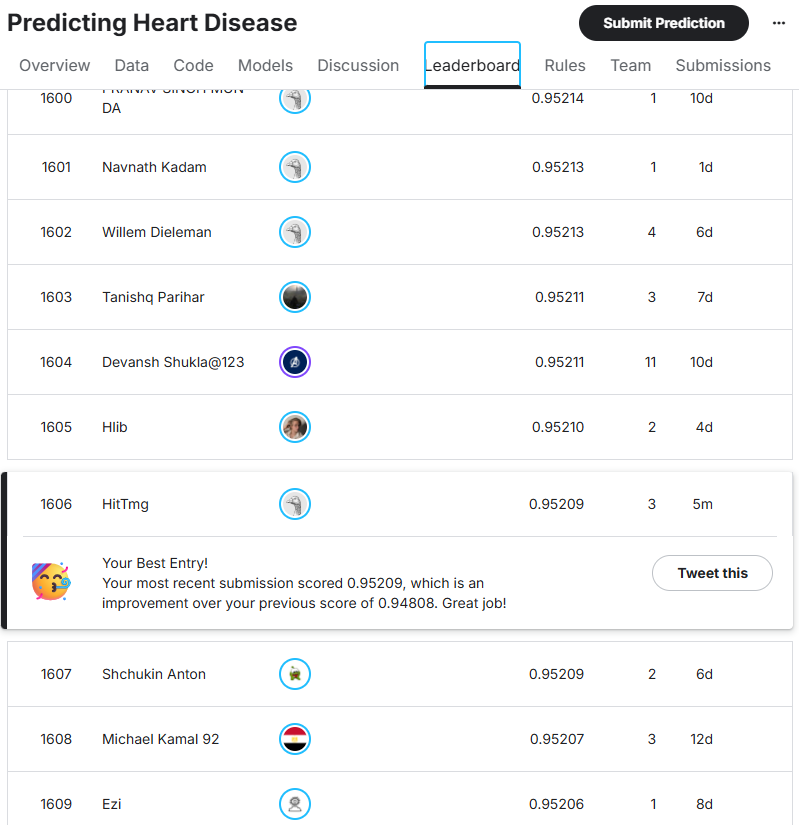
Score: 0.95209 (Previous: 0.94808)

Rank: 1606/2373 (Previous: 1506/1954)
⇒ The score improved, but there’s still a long way to go before reaching the top half.

Improved Ranking 🏆


📚 Insights

1. Copilot can output complex models too
2. As a strategy: first solidify one model, then move to data understanding
3. With rough instructions, computation time becomes long and the results aren’t competitive in the current environment


🔮 Next

Next time, I want to organize the effects and efficiency of model selection more carefully.


English translation by Copilot.

Kaggle Challenge Log – Day 1 Taking the First Step with Copilot: Predicting Heart Disease (Playground Series Season 6 Episode 2)

📝 Summary

- Content: Joining a Kaggle competition with Copilot and submitting the smallest possible model
- Conclusion: Couldn’t submit on the first try ⇒ Added input/output files and error details ⇒ Submission completed!


🎯 Goal

The goal this time is to join this beginner-friendly competition together with Copilot,

www.kaggle.com and first aim to build the smallest model that can be submitted!

- Check the competition page
- Load the data
- Build a minimal model
- Generate the submission file
- Submit to Kaggle and check the score

Let’s actually go through this workflow step by step (with discussion & copy-paste)!


📍 Current Situation and Today’s Challenge

- This is not my first Kaggle competition
- I can write a minimal model by hand, but I don’t know what to do next
- This is my first time joining a competition together with AI ❗

Today’s challenges are:
“How should I ask AI for help?”
“Can AI generate code that can actually be submitted?”

These are the two points I want to clear.


💬 Log with Copilot

1. My initial question, intended to ask what information I should provide

“I want to join a Kaggle competition with Copilot’s help.
First, I want to participate in an introductory competition and submit the smallest model.
I’m thinking of joining the currently running ‘Predicting Heart Disease Playground Series - Season 6 Episode 2.’
Please tell me what information you need.”

Copilot’s Response

train = pd.read_csv('/kaggle/input/playground-series-s6e2/train.csv')
test = pd.read_csv('/kaggle/input/playground-series-s6e2/test.csv')

features = train.select_dtypes(include='number').columns.drop('target')
# ... omitted

Contrary to my intention, it rushed ahead and output everything to the end. And then an error… because ‘target’ doesn’t exist…

2. Next, to help it recognize the file format, I sent the first 5 rows of the input/output CSVs.
“It seems the file format is different from what you expected, so I’ll send the first 5 rows of the sample submission and training data.”

📝 Uploaded the first 5 rows of sample_submission.csv and train.csv

Copilot’s Response

By looking at the first 5 rows, I now understand the actual column names, the format of the target variable, and the submission format.
From here, I’ll fix the preprocessing and submission file creation all at once.

🔍 Key points confirmed from your data:
1. The target variable is "Heart Disease" (with a space)
   It contains the strings Presence / Absence.
   ...,Thallium,Heart Disease
   ...,3,Presence
   ...,3,Absence

2. The submission file also uses "Heart Disease" (with a space)
   id,Heart Disease
   630000,0

3. The target variable is not 0/1 but strings, so conversion is needed:
   - Presence → 1
   - Absence → 0

### Python code ###
# Convert target variable
train['Heart Disease'] = train['Heart Disease'].map({'Presence': 1, 'Absence': 0})

# Numeric columns (excluding target)
features = train.select_dtypes(include='number').columns.drop('Heart Disease')

# Minimal model (Logistic Regression)
from sklearn.linear_model import LogisticRegression

X = train[features]
y = train['Heart Disease']

model = LogisticRegression(max_iter=200)
model.fit(X, y)
# ... omitted

An error occurred during training!

3. Reporting the error immediately!
“I got this: ‘ConvergenceWarning: lbfgs failed to converge (status=1): STOP: TOTAL NO. OF ITERATIONS REACHED LIMIT…’”

Copilot’s Response

The logistic regression didn’t converge because the data scale is large and the feature ranges vary widely.
With this competition’s data structure, this almost always happens.
The minimal fix is simply adding StandardScaler.
You don’t need to change the model or increase max_iter.

✔ Minimal fix (add standardization)

### Python code ###
from sklearn.preprocessing import StandardScaler
from sklearn.linear_model import LogisticRegression

# Convert target variable
train['Heart Disease'] = train['Heart Disease'].map({'Presence': 1, 'Absence': 0})

# Numeric features
features = train.select_dtypes(include='number').columns.drop('Heart Disease')

# Standardization
scaler = StandardScaler()
X = scaler.fit_transform(train[features])
X_test = scaler.transform(test[features])

# Model
model = LogisticRegression(max_iter=200)
model.fit(X, train['Heart Disease'])

# Prediction
pred = model.predict_proba(X_test)[:, 1]

# Submission
submission = pd.DataFrame({
    'id': test['id'],
    'Heart Disease': pred
})
submission.to_csv('submission.csv', index=False)

It worked 👍 It ran successfully‼️

Here is the completed code:

www.kaggle.com


📊 Results (Score & Ranking)

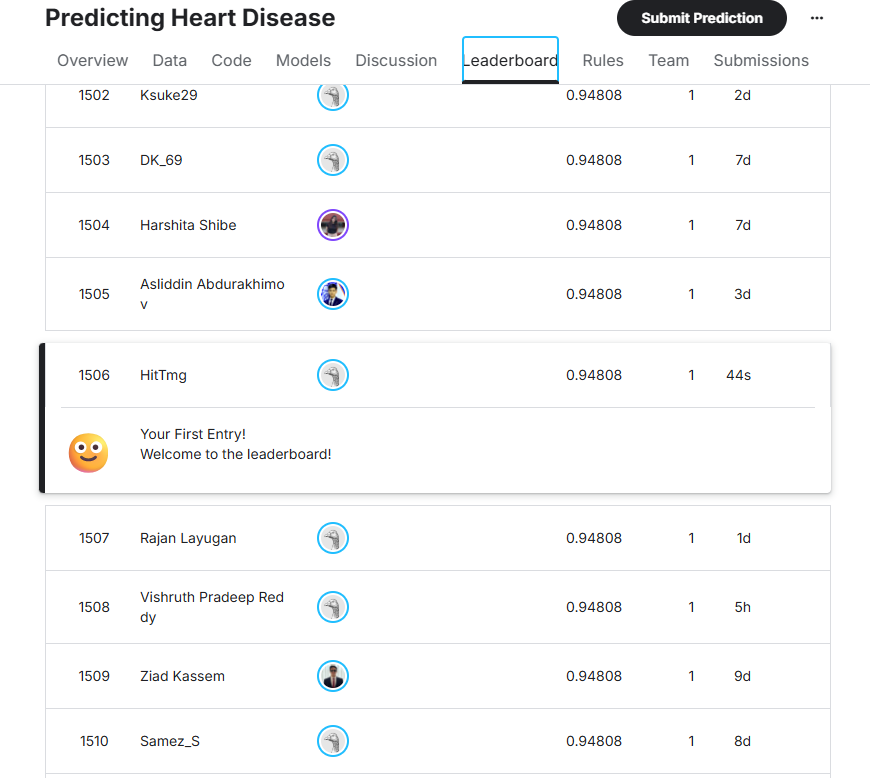
- Score: 0.94808 Rank: 1506/1954 🏆
→ Let’s aim for around the top half next!

First submission ranking 🏆


📚 Insights

1. Copilot can output code that is ready for submission
2. Sending 📝 sample_submission.csv and 📝 train.csv helps it correctly recognize input/output formats
3. When the output code becomes fragmented, you may need to stitch the pieces together


🔮 Next

I want to work with Copilot to improve the score next time.


English translation by Copilot.